
What do shoppers see when they open a post?
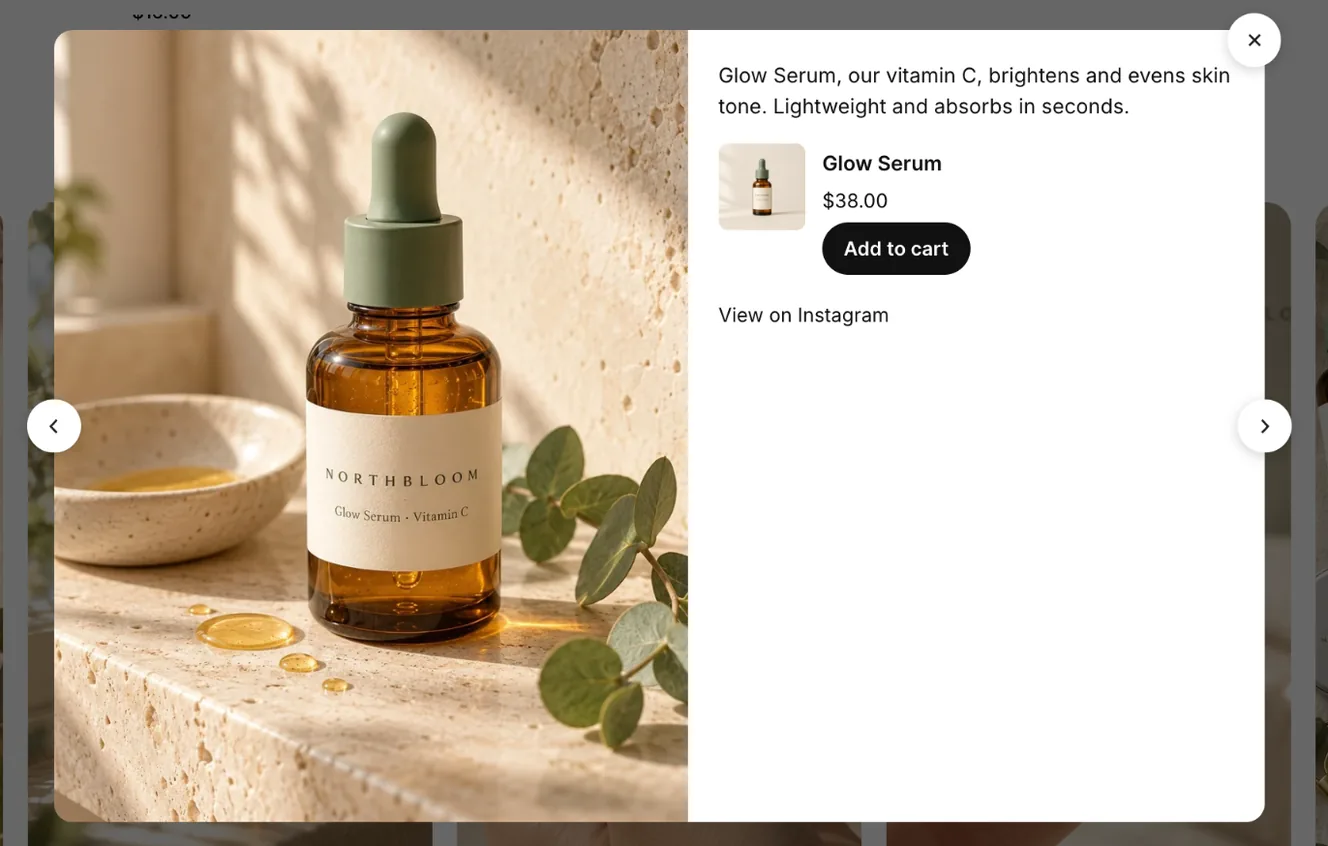
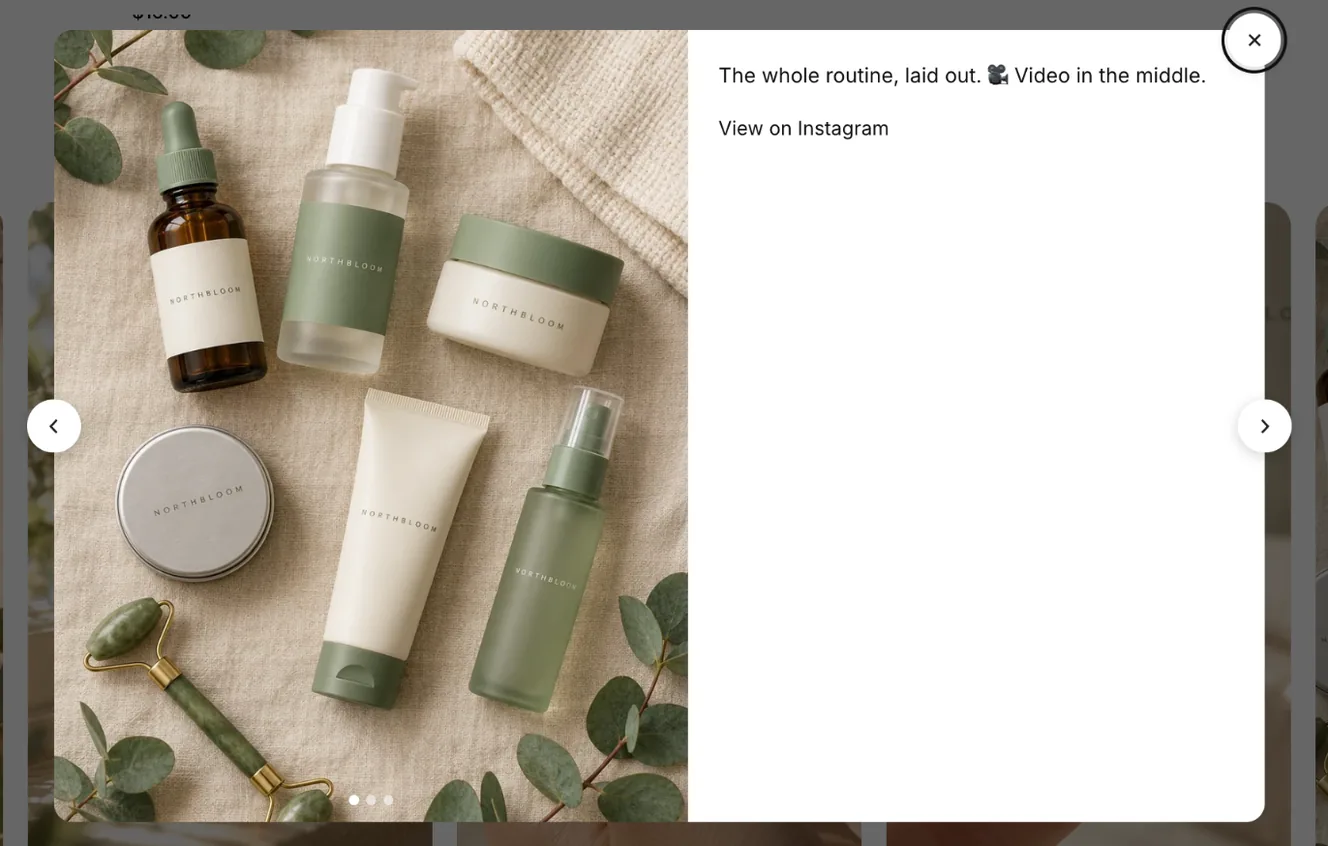
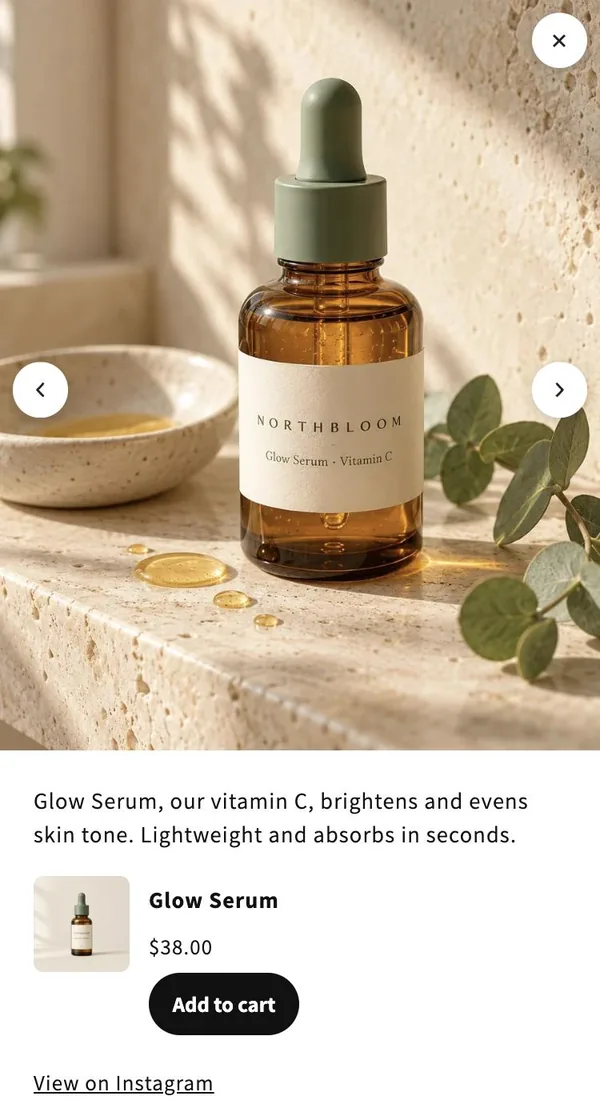
When a shopper clicks a post in your feed, a popup opens over the page. It shows the post and the products you tagged on it, so shoppers can buy without leaving the page.

What’s in the popup
Section titled “What’s in the popup”- The post: the photo, the Reel (playing muted, with controls), or every slide of a carousel with dots to swipe through.
- The caption, shortened to about 40 words.
- Tagged products: photo, title, star rating, price, a variant picker and Add to cart. Sold-out products show Sold out.
- View on Instagram, which opens the post on Instagram.
Adding to cart
Section titled “Adding to cart”- The shopper picks a variant if the product has options.
- They click Add to cart. The button shows Added to cart and a View cart link appears. View cart opens the cart page, even if your theme has a cart drawer.
- The cart count in your theme’s header updates, and the theme’s cart drawer opens if it has one.
- Note: If a product can’t be added (for example, it just sold out), the popup shows Couldn’t add it. Please try again.
- Note: Arrows and the left and right arrow keys move to the previous or next post. Esc or the close button closes the popup.
- Note: On phones, the popup fills the screen.
- Note: The popup shows the post’s small picture straight away while the full-size one loads.
- Note: You choose what the popup shows under Feeds → Popup.
- Note: Each part of the popup is translated into your store’s language. See What languages does the feed support?.
Related articles
Section titled “Related articles”- How do I change what the popup shows?
- How do I tag products on a post?
- Why doesn’t the cart count update after Add to cart?
- What languages does the feed support?
Still having trouble? Contact us from Support inside Zegsu Instafeed and we’ll help you directly.