
How do I show Instagram stories on my store?
On Pro, your live Instagram stories show as circles above your feed. Shoppers tap one to watch it and buy the products you tagged on it. Each story leaves your store when it expires on Instagram, 24 hours after you post it.
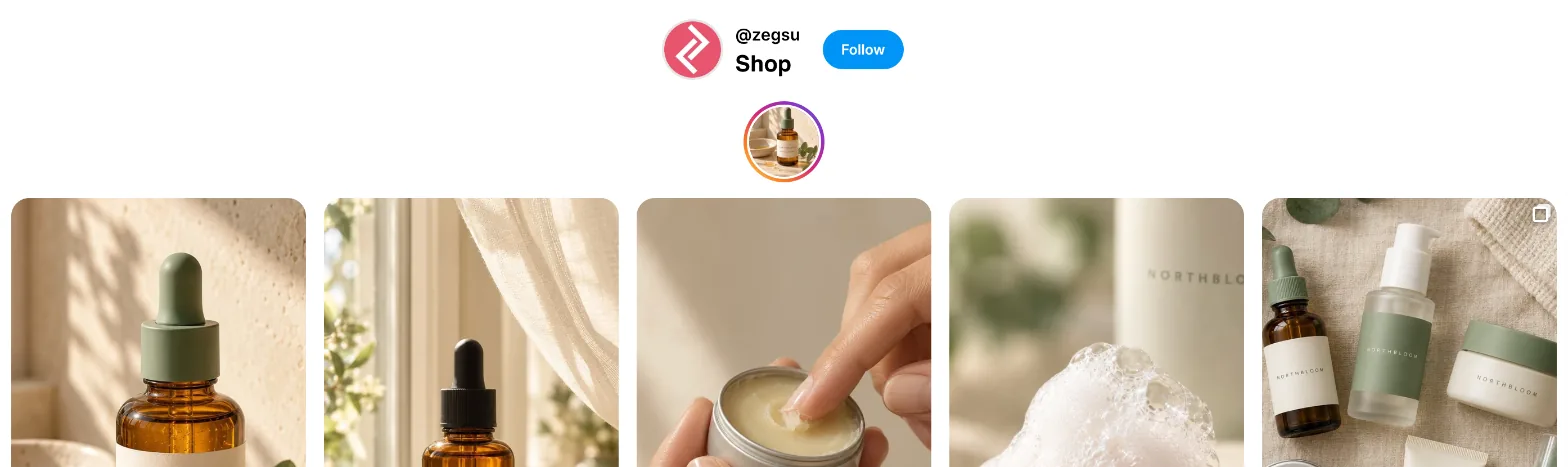
Turn on stories
Section titled “Turn on stories”-
Open Feeds and pick the feed under Editing.
-
Under Layout, turn on Show Instagram stories.
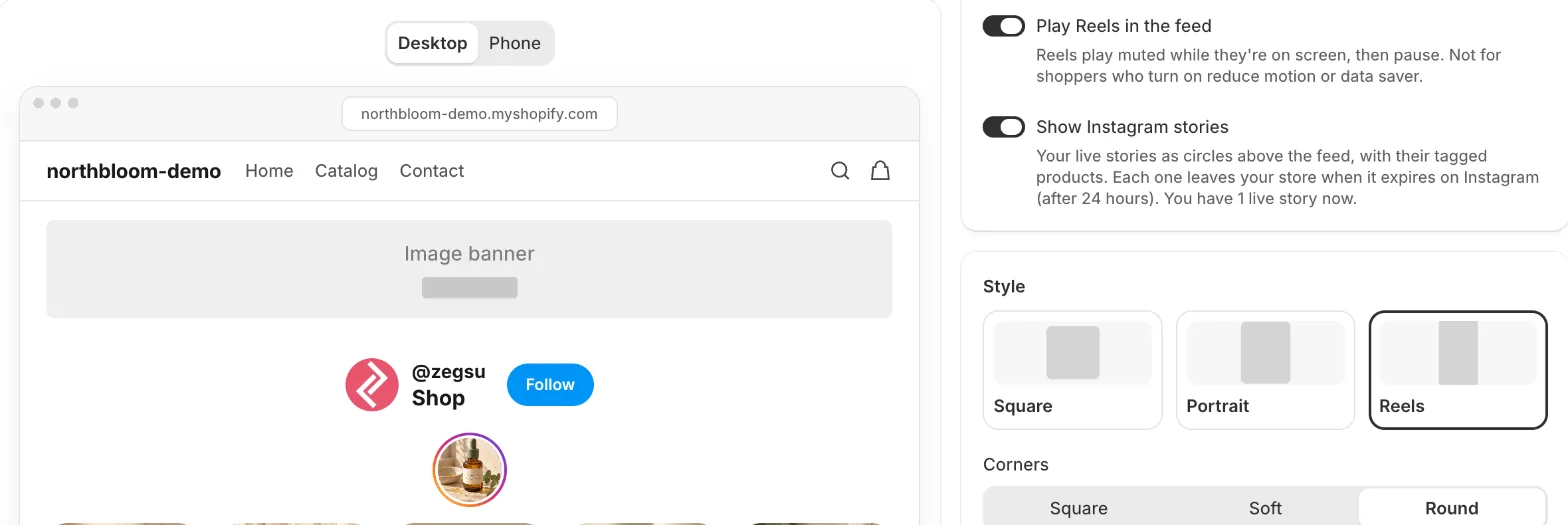
Feeds: Show Instagram stories on, with the live story as a circle in the preview -
Click Save.
The switch tells you how many stories are live right now, and the preview shows them as circles. With no live stories, the preview shows grey circles where they will go.
Each feed has its own switch, so you can show stories on your home page feed and not on your product pages, for example.
When stories appear
Section titled “When stories appear”The app checks Instagram for new stories every hour. To get a new story on your store straight away, click Sync now on Home.
A story leaves your store when it expires on Instagram (24 hours after you post it), or at the next sync if you delete it on Instagram earlier.
Tag products on a story
Section titled “Tag products on a story”-
Open Posts. Your live stories are under Live stories, with the hours each one has left.
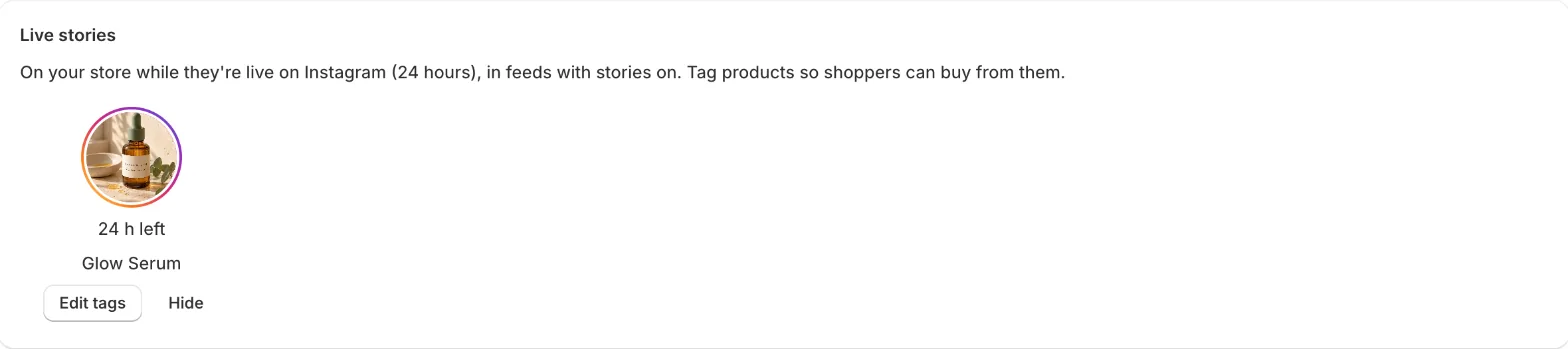
Posts → Live stories: hours left, tagged products, Edit tags and Hide -
Click Tag products under a story, choose the products and click Add.
To change them, click Edit tags. To keep a story off your store, click Hide; Show puts it back.
What shoppers see
Section titled “What shoppers see”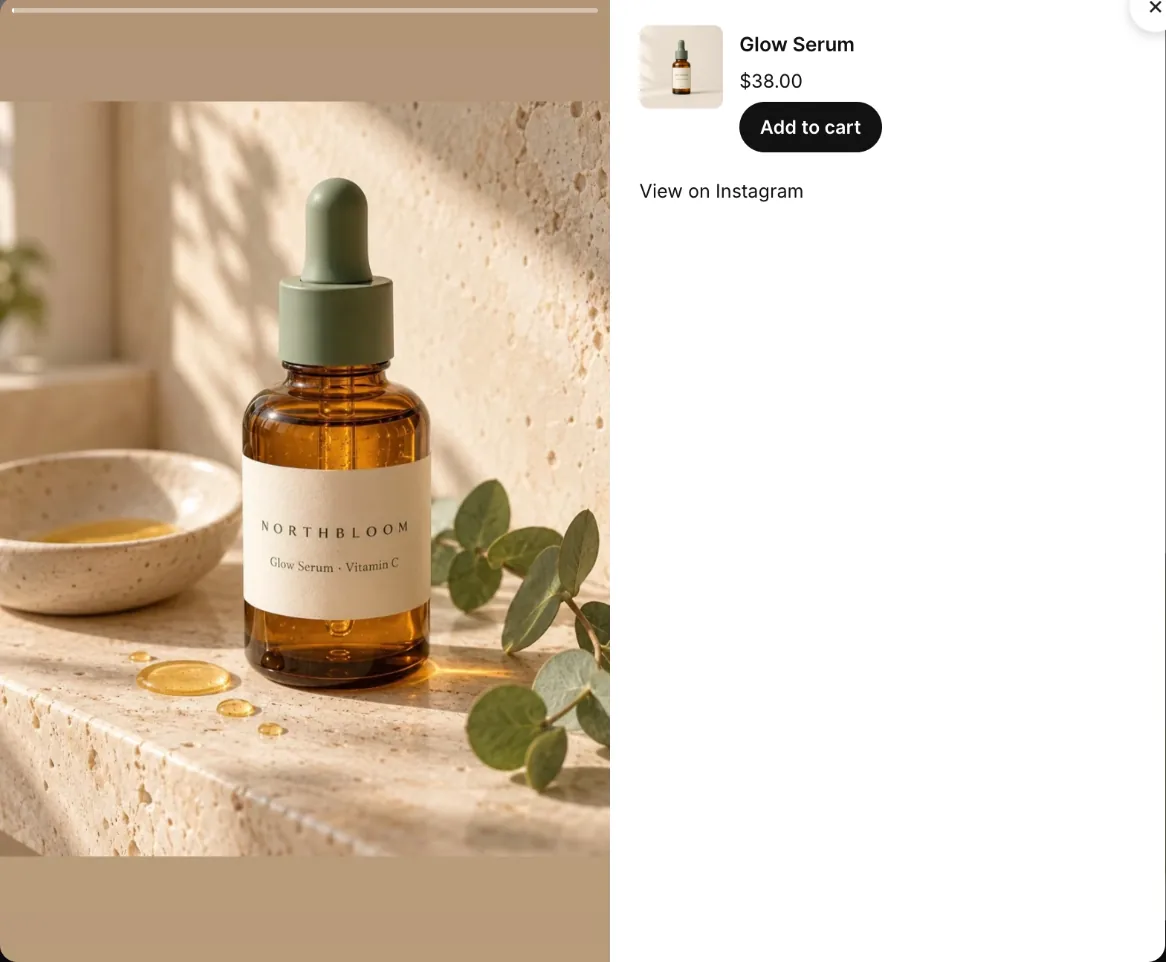
- Tapping a circle opens the story full size, with a progress bar at the top.
- A photo shows for 5 seconds and a video plays to its end, then the next story opens. After the last one, the story closes. Shoppers can also use the arrows (or the arrow keys) to move between stories.
- The products you tagged show next to the story, with price and Add to cart. The story stays put while the shopper is looking at the products.
- View on Instagram opens the story on Instagram.
- Stories a shopper has watched get a grey ring for the rest of that visit.
- Note: Stories are a Pro feature; on Free the switch says Show Instagram stories (Pro). You can turn it on to try it in the preview, and saving asks you to start Pro or save without it. See Why do I see a Pro feature message when saving?
- Note: When Pro ends, stories leave your store. Your feeds keep the setting for when you’re on Pro again.
- Note: Instagram doesn’t share live videos, reshared stories or highlights with apps, so they don’t show on your store.
- Note: A video story with licensed music (from Instagram’s music library) comes without its video, so it shows as a photo.
- Note: Video stories start muted, as browsers only play videos on their own when they’re muted. Shoppers can turn the sound on.
- Note: For shoppers who turn on reduce motion on their device, stories don’t move on by themselves.
Related articles
Section titled “Related articles”- How do I tag products on a post?
- What do shoppers see when they open a post?
- How do I sync my Instagram posts?
- What do the Free and Pro plans include?
Still having trouble? Contact us from Support inside Zegsu Instafeed and we’ll help you directly.