
How often do my Instagram posts sync, and how do I sync now?
Your posts sync every hour on their own. To get a new post onto your store straight away, click Sync now on Home or in Settings.
-
Open the app. On Home, next to your @username, click Sync now. You can also use Settings → Instagram accounts → Sync now.
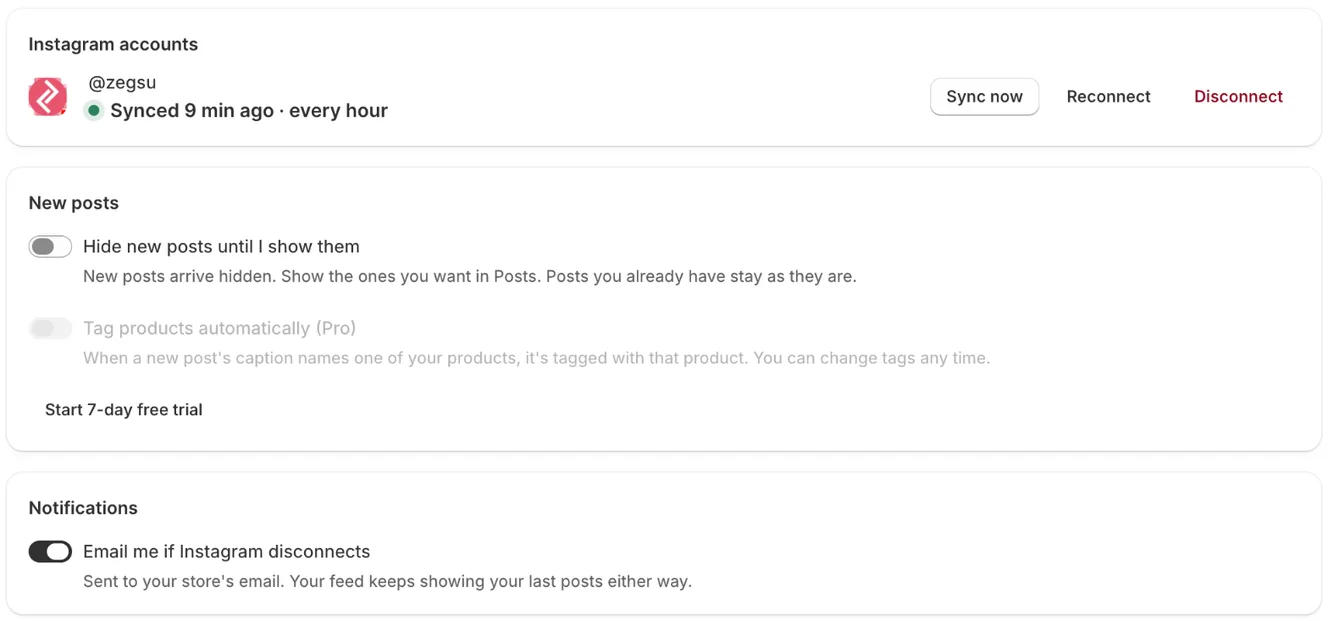
Settings: your Instagram account with Sync now, Reconnect and Disconnect, new-post options and notifications -
Wait a few seconds. You see Your feed is up to date. (or Synced. Your store is updated. in Settings).
- Note: Each sync also updates captions, likes and comments, your username and your profile picture.
- Note: Posts you delete or archive on Instagram leave your store at the next sync. If Instagram sends back no posts at all, nothing is removed, so a glitch never empties your feed.
- Note: If the last sync was over two hours ago, opening Home starts one for you.
- Note: Reels are copied to your Shopify Files a few at a time, so a new Reel can take one or two syncs to start playing.
- Note: The feed shows your latest 50 posts.
Error states
Section titled “Error states”- Instagram asked us to slow down. We’ll sync again automatically in a few minutes. → Instagram limits how often apps can read posts. → Wait a few minutes. The next sync runs on its own.
- Instagram didn’t respond. Your feed keeps showing your last posts, and we’ll try again shortly. → Instagram was briefly unavailable. → No action needed. Click Sync now later if you want.
- Sync didn’t finish. Try again in a minute; if it keeps failing, contact support. → Something went wrong on our side. → Try again in a minute, then contact support.
Related articles
Section titled “Related articles”- Why are my new Instagram posts not showing?
- Why does the app say Instagram needs reconnecting?
- What limits apply to posts, videos and feeds?
Still having trouble? Contact us from Support inside Zegsu Instafeed and we’ll help you directly.