
How do I contact Zegsu Upsell support?
Open Support in the Zegsu Upsell menu and click Email support. Your email app opens with your store name already filled in, so we can look into it right away. You can also write to contact@zegsu.com.
-
Open Zegsu Upsell and click Support in the app menu.
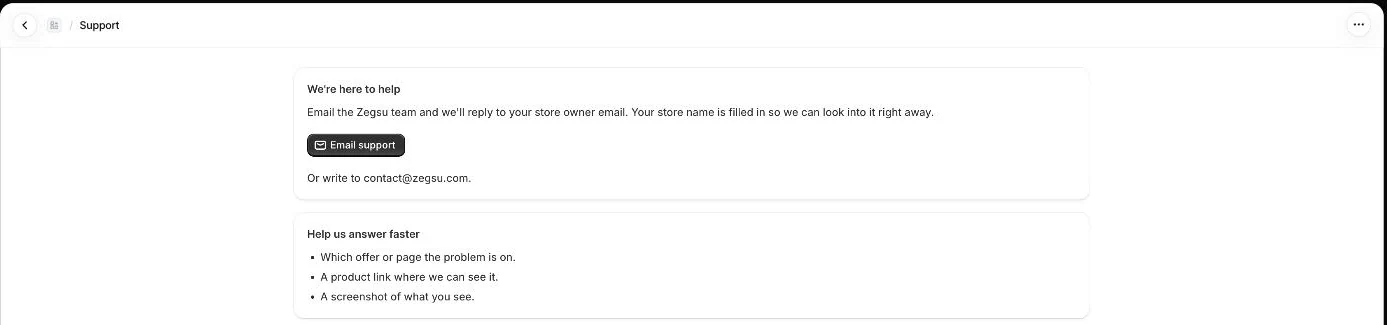
Support: email the Zegsu team with your store name filled in -
Click Email support. A new email to contact@zegsu.com opens with the subject and your store name filled in.
-
Describe what happened and what you expected, then send the email.
What to include
Section titled “What to include”- Which offer, gift or page the problem is on.
- A product link where we can see it.
- A screenshot of what you see.
- Any error message, word for word.
- Note: We reply to your store owner email.
- Note: If the Email support button does nothing, your computer has no email app set up. Write to contact@zegsu.com from your email instead.
Related articles
Section titled “Related articles”- How do I get started after installing Zegsu Upsell?
- Why is the offer widget not showing on my product page?
- Which themes does Zegsu Upsell support?
- What is Zegsu Upsell?
Still having trouble? Contact us from Support inside Zegsu Upsell and we’ll help you directly.