
How do I give a free gift with purchase?
You give a free gift by creating a free gift offer. The Zegsu cart drawer adds the gift to the cart when the cart qualifies. The gift is checked again at checkout, so it is only free while your rules are met.
-
Open Offers in the app and click Create offer.
-
Scroll to the Free gifts section and click Use this on a template. For example, pick Free gift over a spend or Free gift with a product.
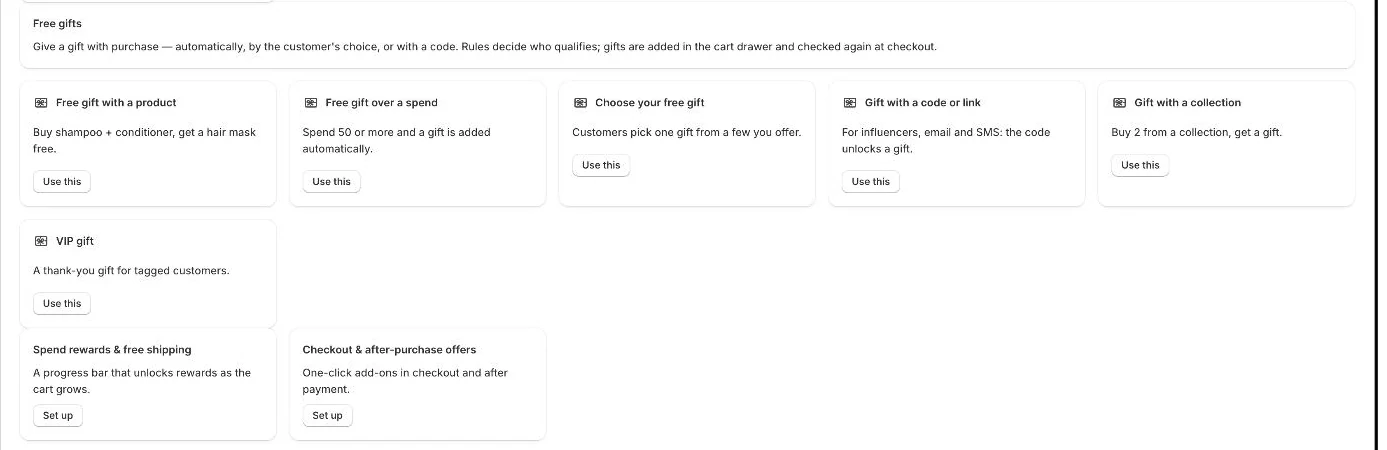
Free gift templates, plus shortcuts to spend rewards and checkout offers -
Click Choose gift products and select the product or variants to give away.
-
Under How customers get it, choose Added automatically or Customers choose one.
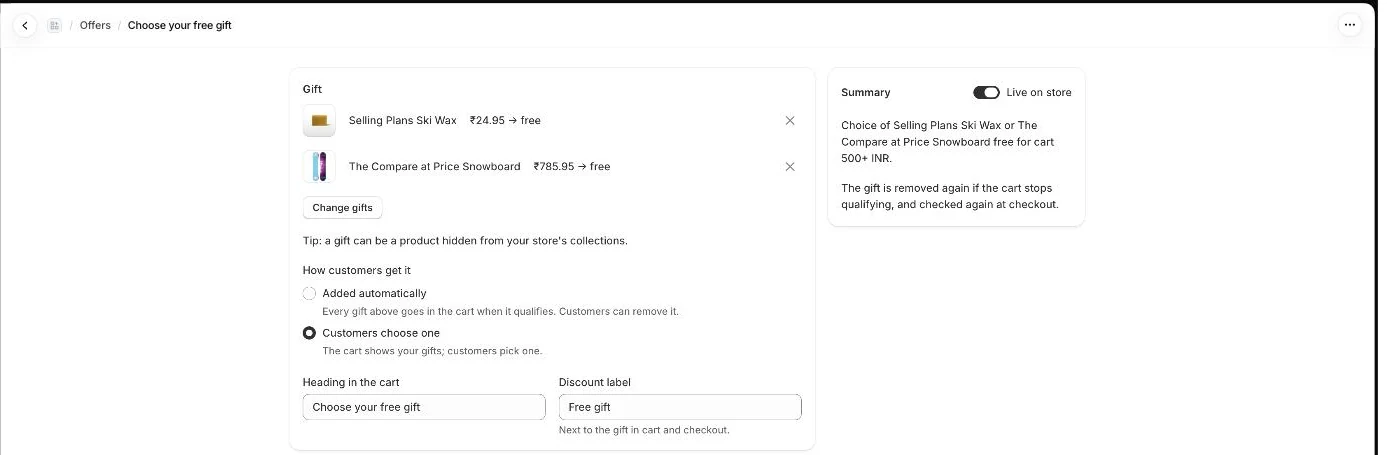
Gift offer: the gift products, how customers get them, and the summary -
Optionally change the Discount label. It shows next to the gift in the cart and at checkout. The default is “Free gift”.
-
Set your rules in the Who gets it section, such as a minimum cart value.

Who gets it: a cart value rule -
Click Save and go live.
-
If you see the banner “Gifts are added by the cart drawer”, click Turn on cart drawer, then press Save in the theme editor.
Templates you can start from
Section titled “Templates you can start from”- Free gift with a product: buy certain products, get a gift.
- Free gift over a spend: spend a set amount and a gift is added automatically.
- Choose your free gift: customers pick one gift from a few you offer.
- Gift with a code or link: a discount code or shareable link unlocks the gift.
- Gift with a collection: buy 2 from a collection, get a gift.
- VIP gift: a thank-you gift for customers with a tag such as VIP.
- Note: You can choose up to 6 gift products or variants per offer.
- Note: With Added automatically, every gift you chose goes into the cart when it qualifies. Customers can remove it.
- Note: Each gift gives one free unit. Extra copies, or the same product added by hand, are charged at full price.
- Note: The gift is removed again if the cart stops qualifying.
- Note: A gift can be a product hidden from your store’s collections.
- Note: Gifts only work with the Zegsu cart drawer turned on.
- Note: To pause the offer, turn off Live on store in the Summary panel and save. To rename it, open Advanced and edit Offer name.
- Note: Want a gift that unlocks at a spend level on a progress bar? Use cart rewards instead. See How do I set up cart rewards like free shipping, % off or a free gift?.
- Note: The app is free, so there is no limit on how many gift offers you create.
Related articles
Section titled “Related articles”- What rules can I use for a free gift?
- How do I let customers choose their free gift?
- How do I give a free gift with a discount code or link?
- How do I turn on the cart drawer?
- Why was the free gift not added or removed?
Still having trouble? Contact us from Support inside Zegsu Upsell and we’ll help you directly.