
How do I add a title or a profile header with a Follow button?
Open Feeds and go to Style. Under Header, pick Title for a plain heading, or Profile and Follow to show your Instagram picture, @username and a Follow button.
-
Click Feeds in the app menu.
-
Under Style → Header, pick Title or Profile and Follow.
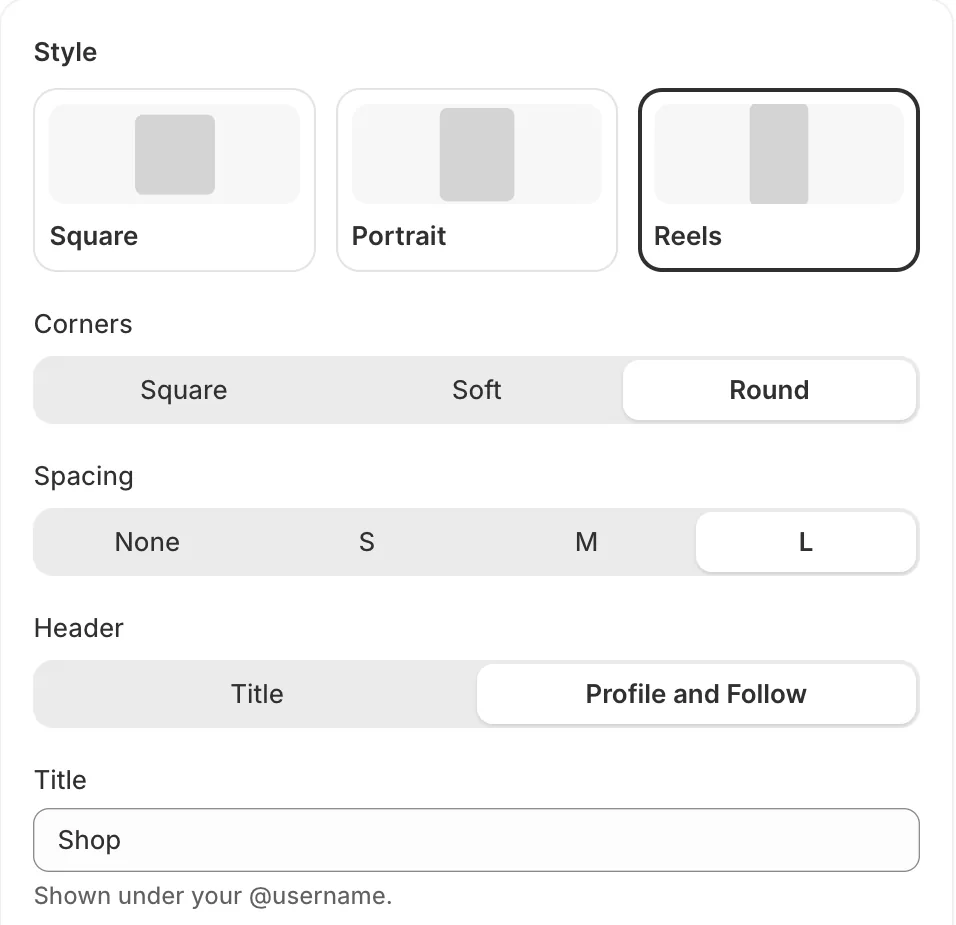
Style: tile shape, corners, spacing, header (Title, or Profile and Follow) and the title -
Type your heading in Title. Leave it empty for no heading. With Profile and Follow, the title shows under your @username.
-
Click Save.
- Note: Follow and your @username open your Instagram profile in a new tab.
- Note: Your profile picture and username update on each sync, so a new picture shows within the hour.
- Note: The heading font, size and alignment are set in the theme editor, in the Instagram feed section.
- Note: If you leave Title empty, the section’s Title (if the feed has none) setting in the theme editor is used.
Related articles
Section titled “Related articles”- How do I change the feed heading, width and padding?
- How do I customize my feed?
- How do I show likes and comments on my posts?
Still having trouble? Contact us from Support inside Zegsu Instafeed and we’ll help you directly.