
How do I change what the popup shows?
Open Feeds and go to Popup. Each switch controls one part of the popup shoppers see when they open a post. Click Save when you’re done.
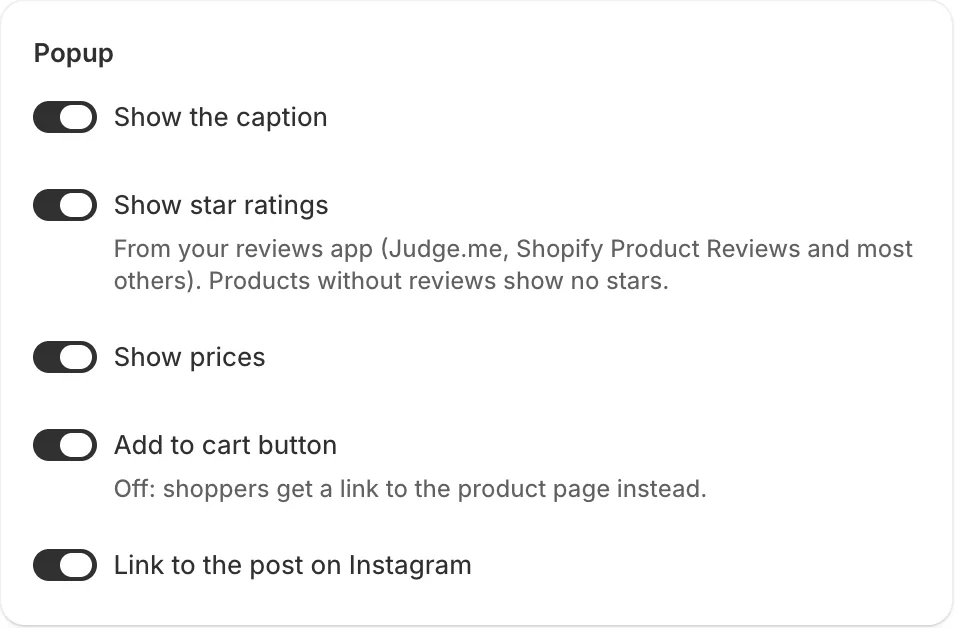
Popup switches
Section titled “Popup switches”- Show the caption: the post’s caption, shortened to about 40 words.
- Show star ratings: stars and the review count from your reviews app.
- Show prices: the price, and the compare-at price if there is one.
- Add to cart button: when off, shoppers get a View product link to the product page instead.
- Link to the post on Instagram: a View on Instagram link.
- Note: Click a post in the preview to check the popup before saving.
- Note: Tagged products always show, with their photo and title. Products with options show a variant picker.
Related articles
Section titled “Related articles”- What do shoppers see when they open a post?
- How do I show star ratings in the popup?
- How do I tag products on a post?
Still having trouble? Contact us from Support inside Zegsu Instafeed and we’ll help you directly.