
How do I tag products on a post?
Open Posts, find the post and click Tag products. Pick the products in Shopify’s product picker and click Select. The post is shoppable on your store straight away.
-
Click Posts in the app menu.
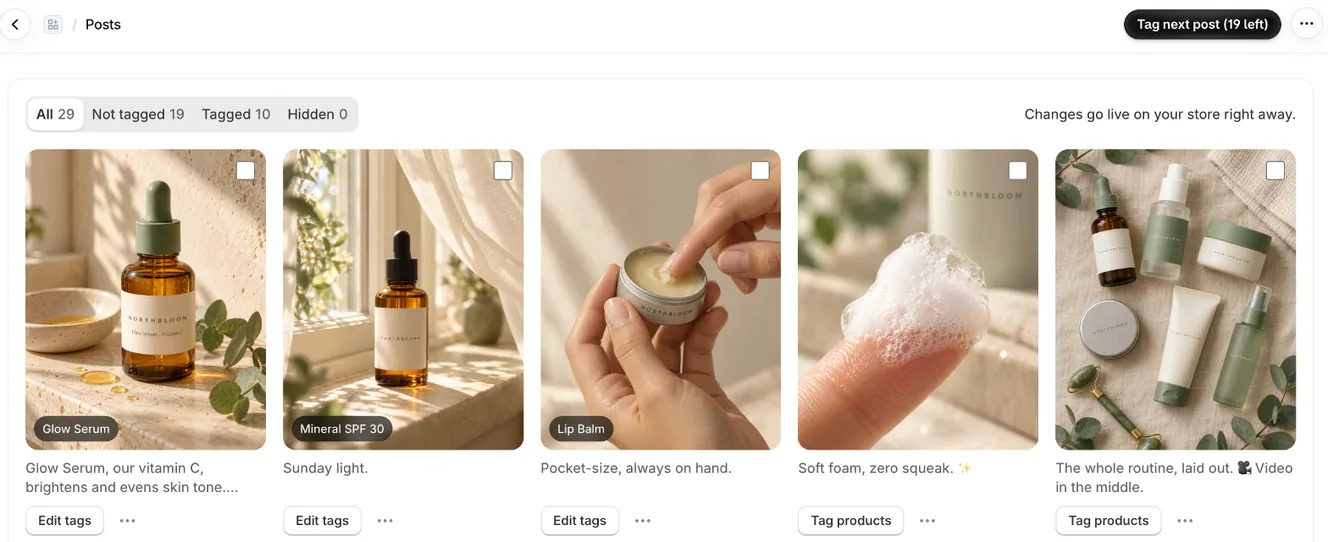
Posts: filters at the top, tagged products on each post, Tag products or Edit tags below -
Under the post, click Tag products. For a post that already has tags, the button says Edit tags.
-
Search for and tick the products shown in the post. You can pick as many as you like.
-
Click Select. You see Tags saved. Shoppers can buy from it now.
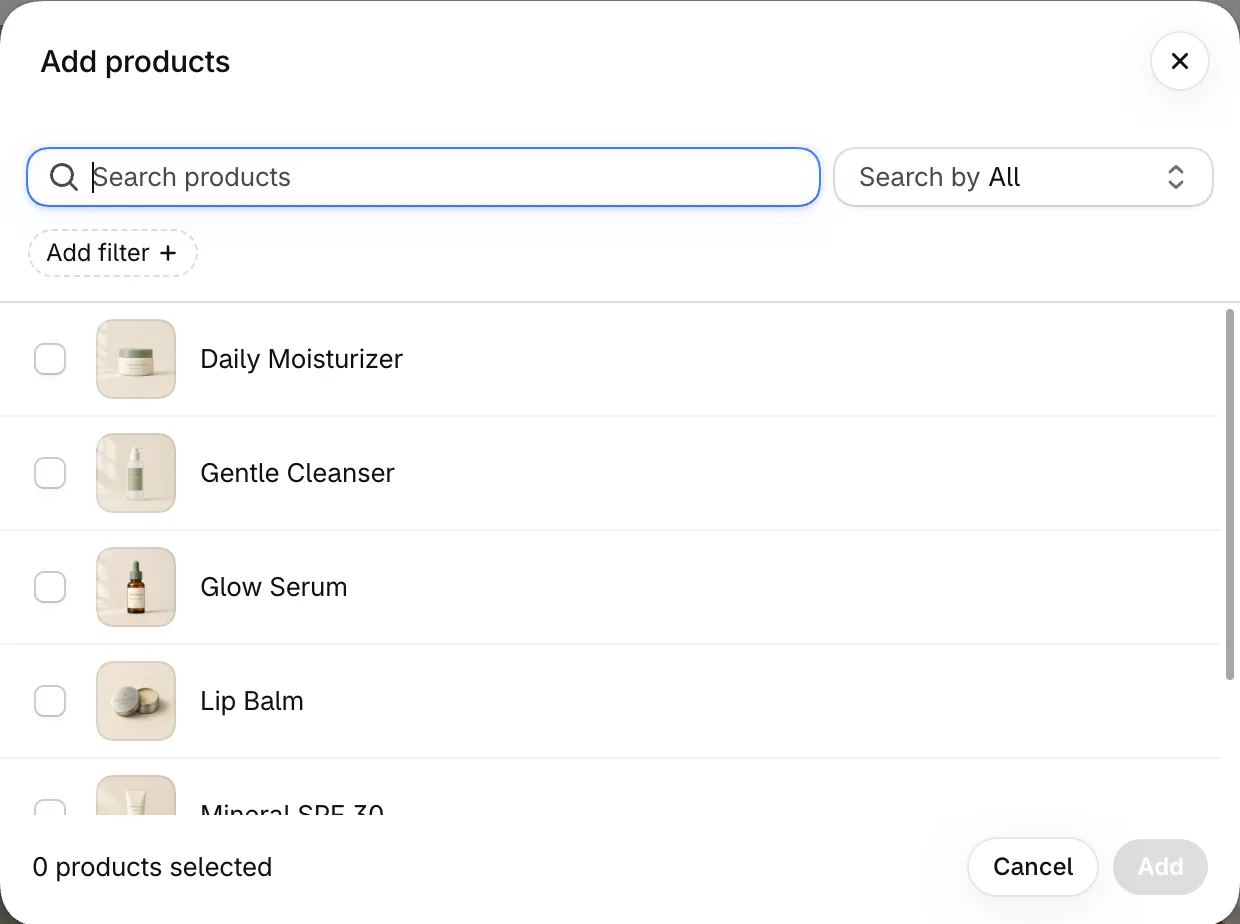
Pick the products shown in the post from Shopify's product picker
Remove a tag
Section titled “Remove a tag”- Click Edit tags under the post.
- Untick the product and click Select.
- Note: Free includes tags on up to 6 posts, with as many products on each as you like. Pro tags every post. The Posts page shows how many you’ve used, for example 4 of 6 tagged posts on Free.
- Note: At the limit, Tag products opens Tag every post with Pro instead of the picker. You can still change the products on posts you’ve already tagged.
- Note: New stores start with Pro for 7 days, so tagging is unlimited during the trial. If you don’t keep Pro, products show on your first 6 tagged posts and the others are marked Products not shown on Free. Their tags stay saved.
- Note: When a caption names one of your products, the post shows Looks like and the product, with a Tag it button. Click it to tag in one step.
- Note: If you delete a product in Shopify, it’s removed from every post it was tagged on.
- Note: Only active products can be tagged. Draft and archived products don’t show in the picker.
- Note: If you have no products yet, Posts asks you to add products in Shopify first.
- Note: Changes go live on your store right away. There’s no Save button.
Related articles
Section titled “Related articles”- How do I tag many posts at once?
- How do I tag new posts automatically?
- What do shoppers see when they open a post?
Still having trouble? Contact us from Support inside Zegsu Instafeed and we’ll help you directly.