
How do I approve new posts before they show on my store?
Open Settings and turn on Hide new posts until I show them under New posts. New posts then sync as hidden. Show the ones you want from Posts.
-
Click Settings in the app menu.
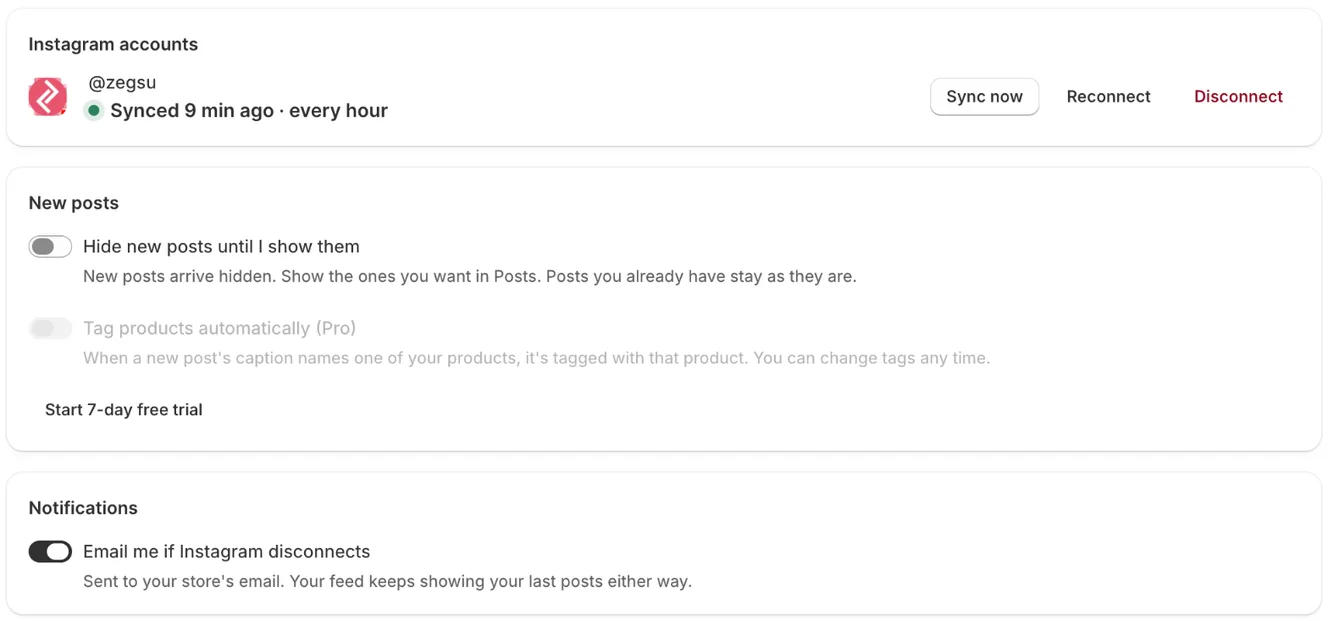
Settings: your Instagram account with Sync now, Reconnect and Disconnect, new-post options and notifications -
Under New posts, turn on Hide new posts until I show them.
-
When new posts sync, open Posts and click the Hidden filter.
-
Click ⋯ under a post and choose Show on store.
- Note: Posts you already have stay as they are when you turn this on.
- Note: Turn it off and new posts go live as soon as they sync.
- Note: This setting is available on every plan.
Related articles
Section titled “Related articles”- How do I hide a post or pin it to the front?
- How often do my Instagram posts sync, and how do I sync now?
Still having trouble? Contact us from Support inside Zegsu Instafeed and we’ll help you directly.